
550k+ downloads · 4.8★ on WordPress.org
Advanced content visibility logic for Elementor
Hide any Elementor widget or section like a pro
Dynamic visibility conditions for Elementor — show or hide any widget, section or container by user role, device, ACF, language, URL parameters, date & time and more. No code required.
- 550k+ Plugin downloads
- 20,000+ Active installations
- 20+ Visibility conditions
- 4.8★ Average rating on WordPress.org
Conditional content control, built for Elementor
Add visibility rules to anything you build — visually, with as many conditions as you need.
- Free
Conditional content, no code
Add visibility rules to any Elementor widget, section or flexbox container right from the editor. If a visitor doesn’t match, the element simply isn’t shown.
-
Stack as many rules as you need
Combine roles, devices, dates, custom fields and more on a single element. Mix conditions with AND/OR logic to target exactly the right audience.
- Pro
Fallback content
Don’t just hide — replace. Show alternative text or a whole Elementor template to visitors who don’t meet your conditions.
Free on WordPress.org
Powerful visibility conditions, free out of the box
The free plugin already covers the conditions most sites need — added directly to the Elementor controls you already use, with full support for the new flexbox containers.
- User Role Free Target logged-in, logged-out or specific WordPress roles.
- User Meta Free Show or hide based on a visitor’s user meta values.
- Date & Time Free Schedule content with from/to dates — perfect for promos.
- Device Type Free Server-side detection for desktop, tablet and mobile.
- Browser Type Free Chrome, Firefox, Safari, Edge, Opera, iPhone, Android.
- ACF Fields Free Conditions on Advanced Custom Fields with 7 operators.
- Flexbox Containers Free Full support for Elementor containers and sections.
- Hide When Empty Free Auto-hide a parent section when its children are hidden.
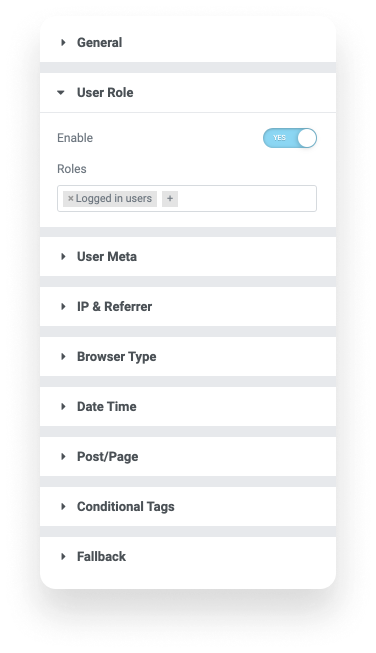 Built into Elementor
 Unlock with Pro
Advanced targeting for membership sites, stores & multilingual builds
Pro adds the conditions power users ask for most — geolocation, language, URL parameters, WooCommerce and EDD customer logic, dynamic tags and true fallback content.
- Geo Location Pro MaxMind-based country detection for geo-targeting.
- Language Pro WPML, Polylang and TranslatePress support.
- URL Parameters Pro Query-string conditions with 9 operators.
- Advanced ACF Pro Repeater fields, options pages, term/user meta, 17 operators.
- Advanced User Meta Pro Multiple conditions combined with AND/OR logic.
- WooCommerce Pro Order history, subscriptions and customer status.
- Easy Digital Downloads Pro Purchase and subscription-based restrictions.
- Dynamic Conditions Pro Use any Elementor Pro Dynamic Tag as a condition.
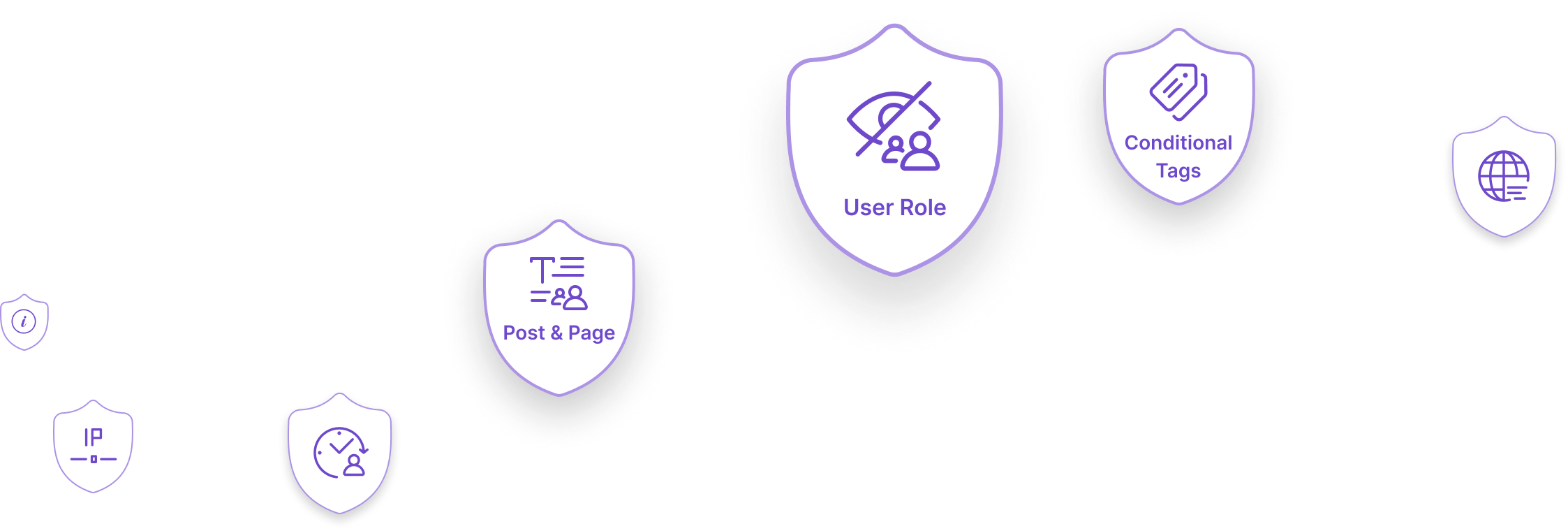
- Post & Page / Taxonomy Pro Current post type, specific pages and terms.
- Archive Pro Conditions for post and taxonomy archive views.
- IP & Referrer Pro Target by IP address or the referring site.
- WP Conditional Tags Pro Hook into any WordPress conditional tag.
- Fallback Content Pro Replace hidden elements with text or a template.
- Copy / Paste Settings Pro Right-click to duplicate visibility settings.
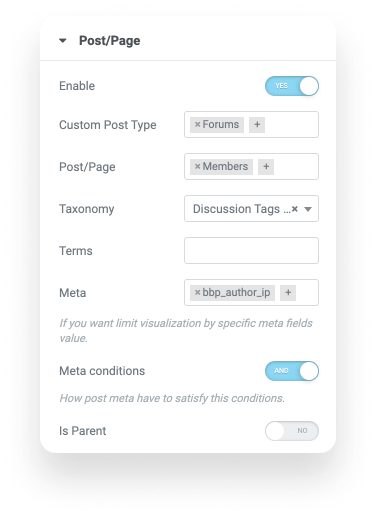 Pro conditions
 Every visibility condition, at a glance
Start free with the essentials, then unlock 20+ advanced conditions with Pro.
- Free
User Role
Logged-in, logged-out or specific WordPress roles.
- Free
User Meta
Match visitors on their user meta field values.
- Free
Date & Time
From/to scheduling for launches and time-limited offers.
- Free
Device Type
Server-side desktop, tablet and mobile detection.
- Free
Browser Type
Tailor content to Chrome, Safari, Firefox, Edge and more.
- Free
ACF Fields
Advanced Custom Fields conditions with 7 operators.
- Pro
Geo Location
MaxMind country detection for geo-targeted content.
- Pro
Language
WPML, Polylang and TranslatePress visibility.
- Pro
URL Parameters
Query-string conditions with 9 operators.
- Pro
Dynamic Conditions
Any Elementor Pro Dynamic Tag as a condition.
- Pro
WooCommerce Users
Orders, subscriptions and customer status.
- Pro
EDD Users
Easy Digital Downloads purchase logic.
- Pro
IP & Referrer
Target by IP address or the referring site.
- Pro
Post, Page & Archive
Scope rules to post types, pages, terms and archives.
- Pro
Conditional Tags
Tap into any WordPress conditional tag.
- Pro
Fallback Content
Show alternative content when conditions aren’t met.
What you can build with Visibility Logic
From membership gates to localized campaigns — a few of the most popular setups.
-
Members-only content
Lock blog posts, downloads or sections behind login and show a sign-up prompt to everyone else with fallback content.
-
Time-limited promotions
Schedule a banner or pricing block to appear on launch day and vanish automatically when the sale ends.
-
Localized & multilingual sites
Serve the right message by country with Geo Location, or by language across WPML, Polylang and TranslatePress.
-
Smarter store funnels
Upsell to customers, hide “buy” buttons from existing owners and reward subscribers using WooCommerce and EDD conditions.
-
Device-specific layouts
Show a lightweight block to mobile visitors and a richer experience on desktop with server-side device detection.
-
Campaign landing pages
Swap headlines and offers based on URL parameters so each ad or email link lands on the right message.
Loved by Elementor builders worldwide
-
“This is such a powerful plugin and solves so many problems. It is by far the most powerful and flexible of the various Elementor content restriction/visibility plugins.”
verysiberian ★★★★★ on WordPress.org -
“Been using it for over a year now. No issues at all. We use it to restrict access to blog posts if you are not logged in. Perfect!”
silentmedia ★★★★★ on WordPress.org -
“I just wanted to take a moment to say thank you for all of your help with that Elementor plugin. It made a difference for me and saved me so much time.”
momids ★★★★★ on WordPress.org -
“Very easy to set conditions. Nothing complicated here. It worked very well.”
vomoyi ★★★★★ on WordPress.org -
“Thank you for making such a simple, fantastic plugin.”
marcoinit ★★★★★ on WordPress.org -
“Great plugin!!”
caradawc ★★★★★ on WordPress.org
Simple annual pricing
-
1 Site
$29 $39 /year- All 20+ Pro visibility conditions
- Use on 1 website
- 1 year of priority support
- 1 year of updates
-
Most popular
3 Sites
$39 $49 /year- All 20+ Pro visibility conditions
- Use on up to 3 websites
- 1 year of priority support
- 1 year of updates
-
100 Sites
$79 $110 /year- All 20+ Pro visibility conditions
- Use on up to 100 websites
- 1 year of priority support
- 1 year of updates
100% risk-free 30-day money-back guarantee — no questions asked.
Frequently asked questions
Take control of your Elementor content today
Install the free plugin from WordPress.org, then upgrade to Pro whenever you need advanced visibility rules.