
Stax Recommended Plugins
Once you are done with the theme installation, there are plugins that we recommend to use alongside the theme. We recommend using these plugins in order to efficiently build your website.
Installing the Recommended Plugins
Section titled “Installing the Recommended Plugins”These plugins are made available within the Appearance > Install Plugins section of your WordPress dashboard. You would hence need to first navigate to this section.
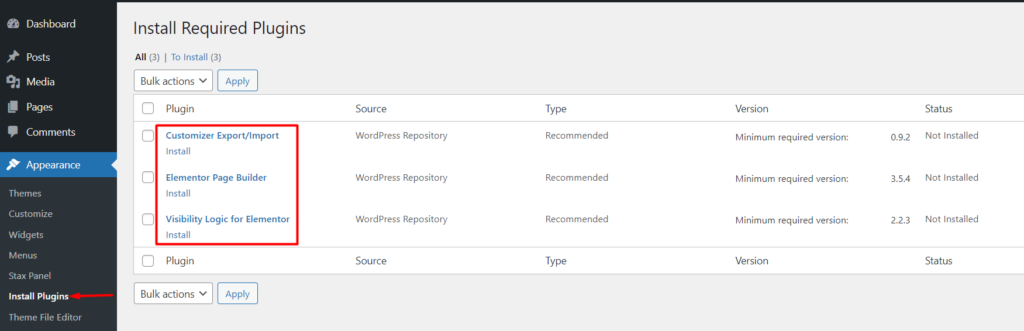
Next, check the “Plugin’ box to select all the plugins
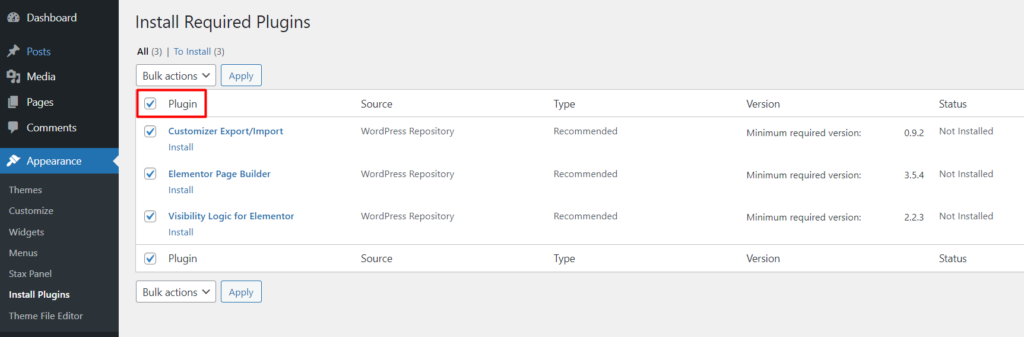
Select ‘Install” as the bulk option and click on the “apply” button
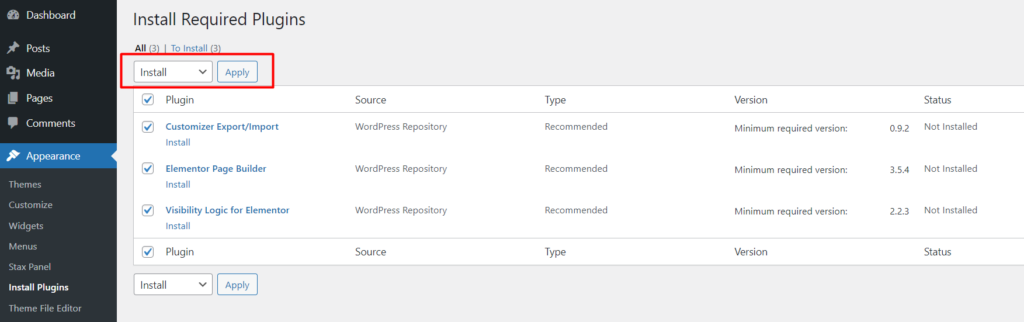
The plugin installation takes less than three minutes but your hosting would be a contributing factor in this
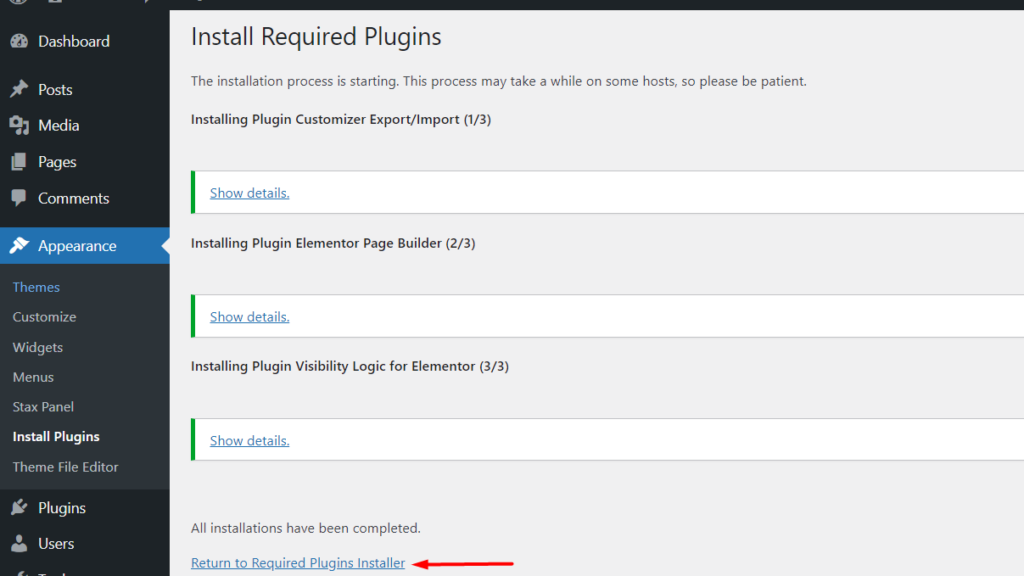
Once the installation is complete, click on the “Return to Required Plugins Installer” link
Next, check the “plugin” box and apply the “activate” option in order to activate the installed plugins
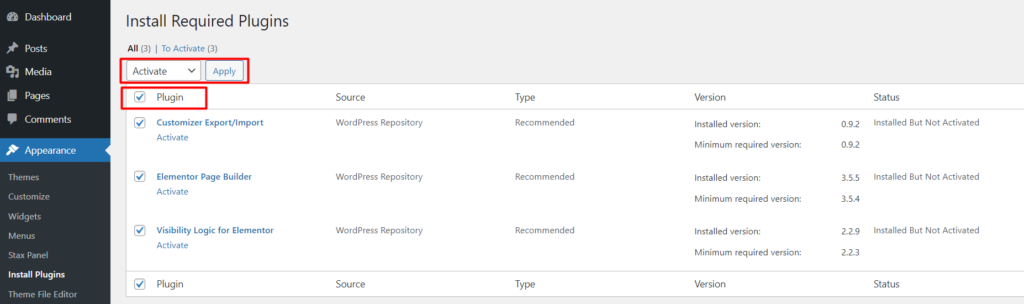
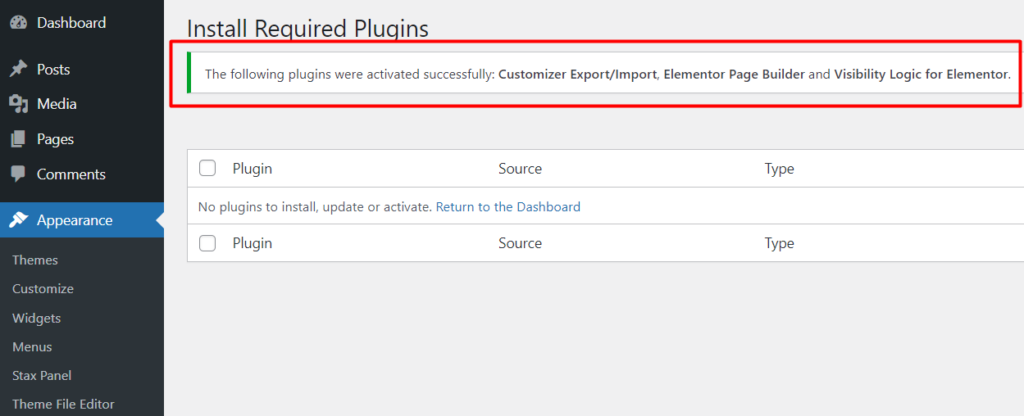
Once this is done, you will then be presented with a notice that the plugins are fully activated
Recommended Plugins Overview
Section titled “Recommended Plugins Overview”Customizer Export / Import
Section titled “Customizer Export / Import”Stax theme uses the default WordPress customizer to help in the customization of settings within the theme.
The Customizer Export / Import plugin is quite useful in importing and exporting these settings customizations within the theme. Let’s say for example you originally had all your customizer settings applied within your parent theme and later on you setup a child theme of which you would like to have all the settings from the parent theme within it. In such a case, the customizer export / import plugin comes in handy in exporting the settings from the parent theme and importing them into the child theme.
Elementor
Section titled “Elementor”Elementor is a drag and drop website builder. We recommend using Elementor while designing your site. The plugin provides great flexibility allowing you to create stunning pages with instant results.
Stax theme includes the free version of the Elementor plugin. You can however also use the pro version of the plugin if you would wish to extend the pro plugins’ features into your website.
Visibility Logic For Elementor
Section titled “Visibility Logic For Elementor”The Visibility Logic for Elementor is a plugin that helps in hiding or showing Elementor widgets or sections. The plugin contains various conditions to facilitate this. These include:
- User Role
- User Meta
- Date Time
- Browser Type
Stax theme incorporates the free version of the plugin. You can however add more visibility options by purchasing and installing the pro version of the plugin found here.