
How to Activate BuddyBuilder Pro License
In order to activate BuddyBuilder plugin, you will need to carry out the following:
1. Navigate to the StaxWP account section and copy your license key
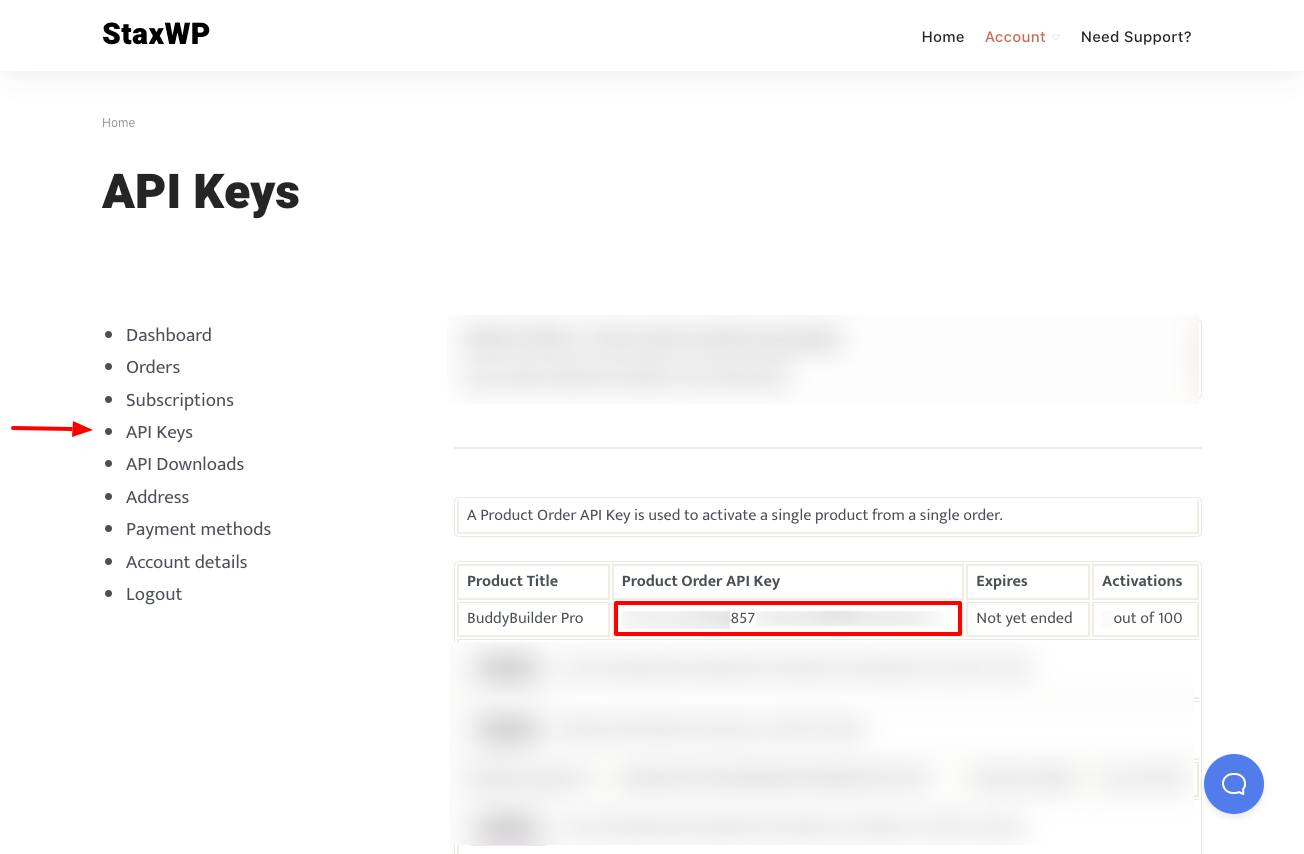
2. Within your WordPress dashboard, navigate to the Settings > BuddyBuilder Pro Activation section

3. Fill in your API key within the “API Key” field and save your changes
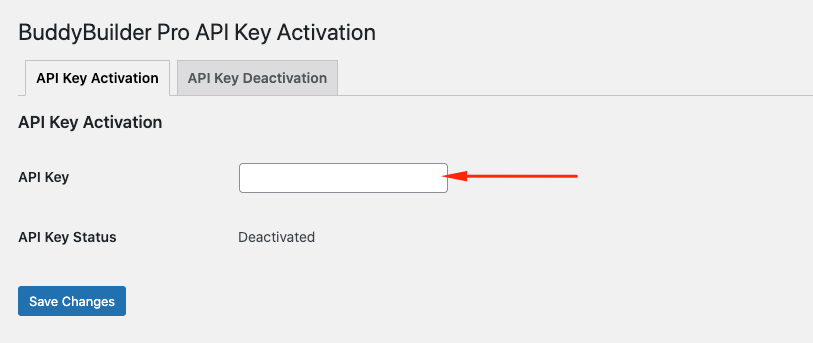
Once the API key is activated, the status should change to “Active”
