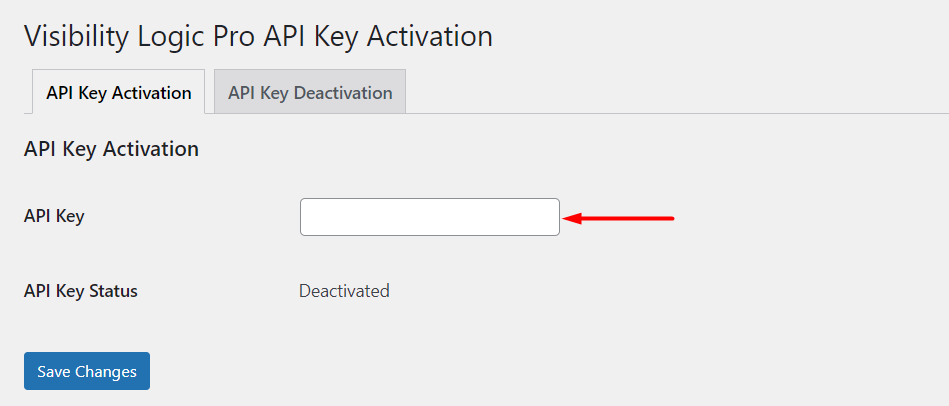
Installing Visibility Logic for Elementor
The Visibility Logic plugin works alongside the Elementor plugin. Install and activate Elementor first, then install Visibility Logic.
Visibility Logic for Elementor is available as a free WordPress.org plugin and as a separate Pro add-on from StaxWP. This guide covers both paths.
Free Version Installation
Section titled “Free Version Installation”Use this path when you only need the free plugin from WordPress.org.
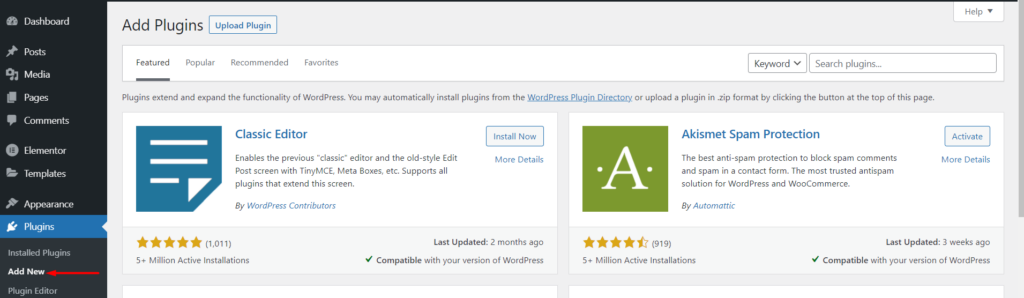
Step 1: Navigate to the Plugins > Add New section within your WordPress dashboard
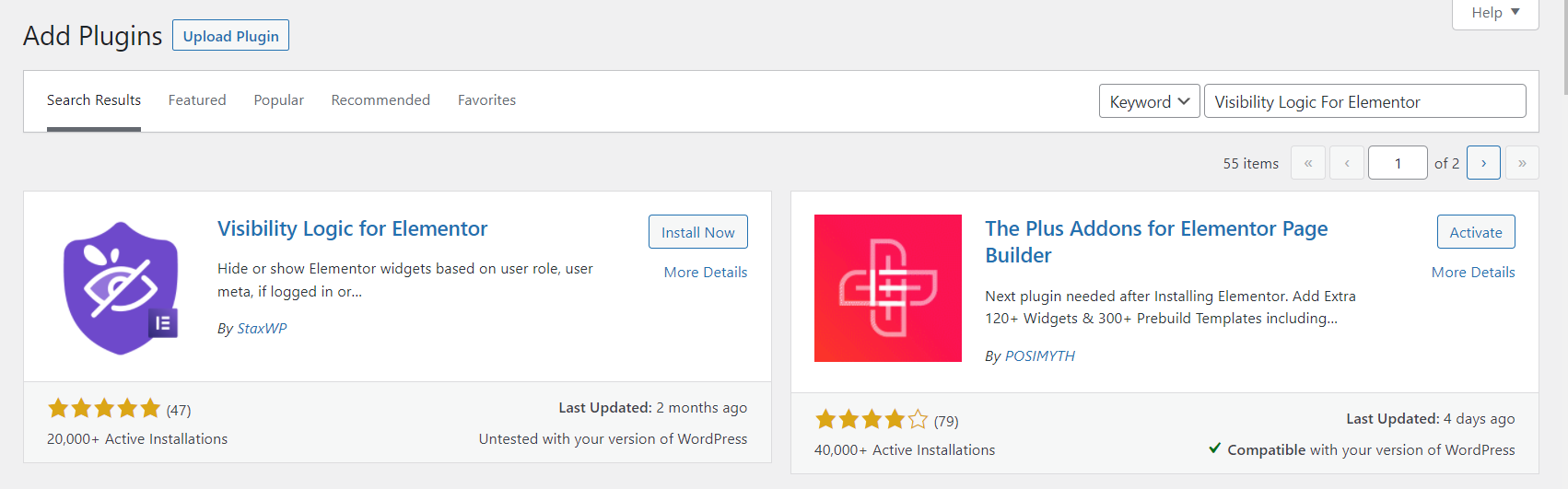
Step 2: Search for “Visibility Logic For Elementor”
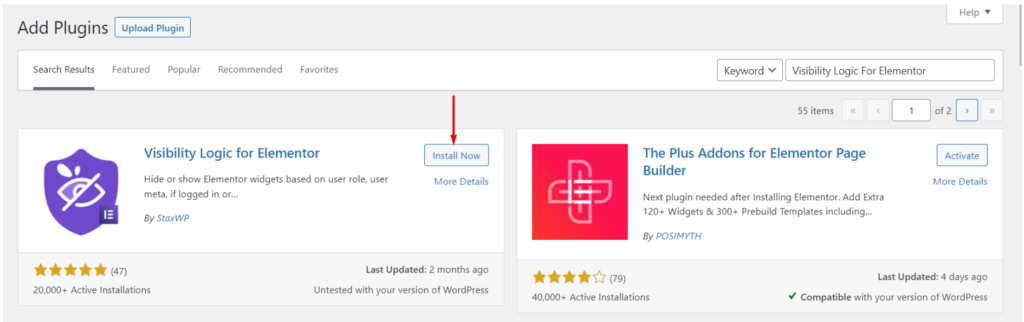
Step 3: Install and activate the plugin
Pro Version Installation
Section titled “Pro Version Installation”Step 1: Visit the Staxwp Visibility Logic URL
Step 2: Select a plan and proceed to checkout

Step 3: Access the Downloads section within your StaxWP account and download the Visibility Logic Pro zip file
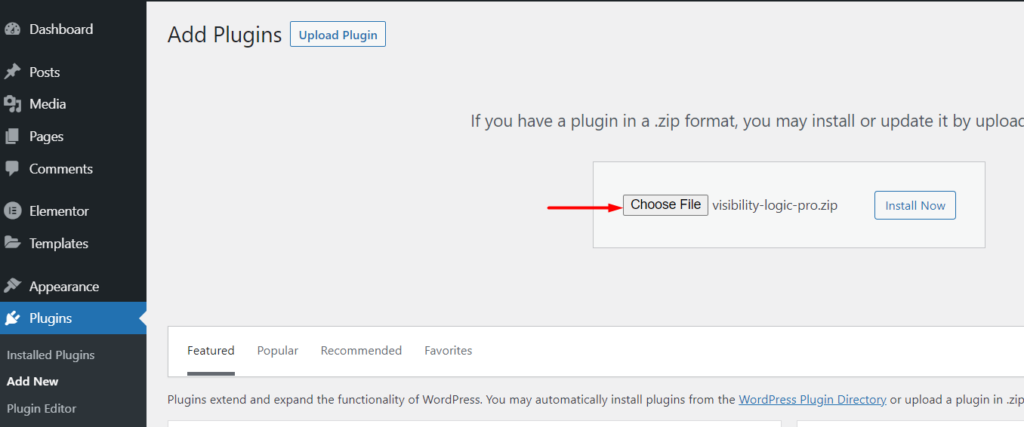
Step 4: Navigate to Plugins > Add New > Upload Plugin within your WordPress dashboard, then upload the Pro zip file
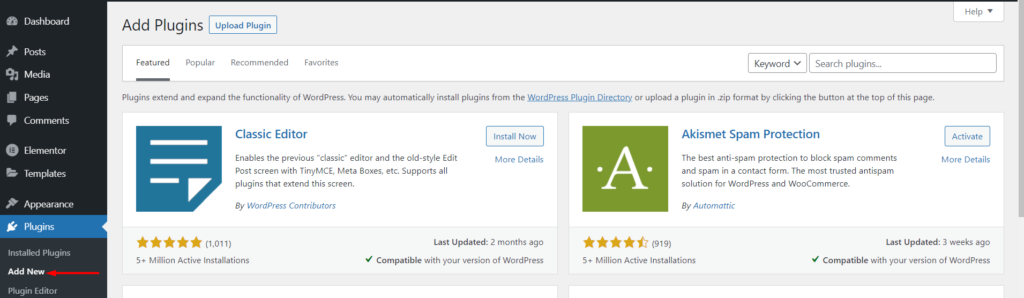
Step 5: Install and activate the Visibility Logic Pro plugin
Step 6: Navigate to Settings > Visibility Logic > Pro Version and click the “Add your License Key” link
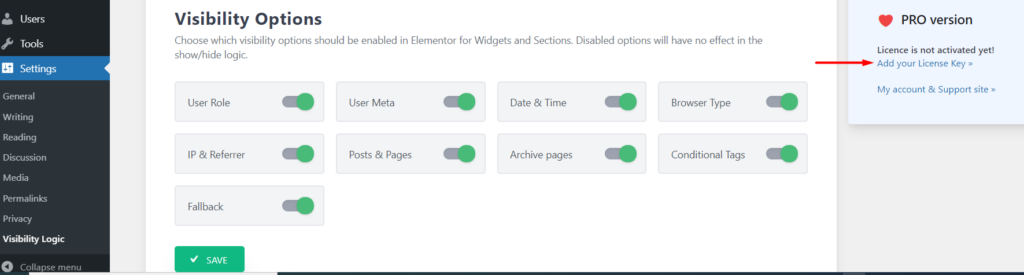
Step 7: Fill in your API key/license key from your StaxWP account and save your changes