
Visibility Logic documentation
Visibility Logic for Elementor adds a Visibility tab to every Elementor widget, section and container. Turn on Enable Visibility Logic, pick one or more conditions (user role, date, device and so on) and choose whether the element is shown or hidden when they match. No code is needed.
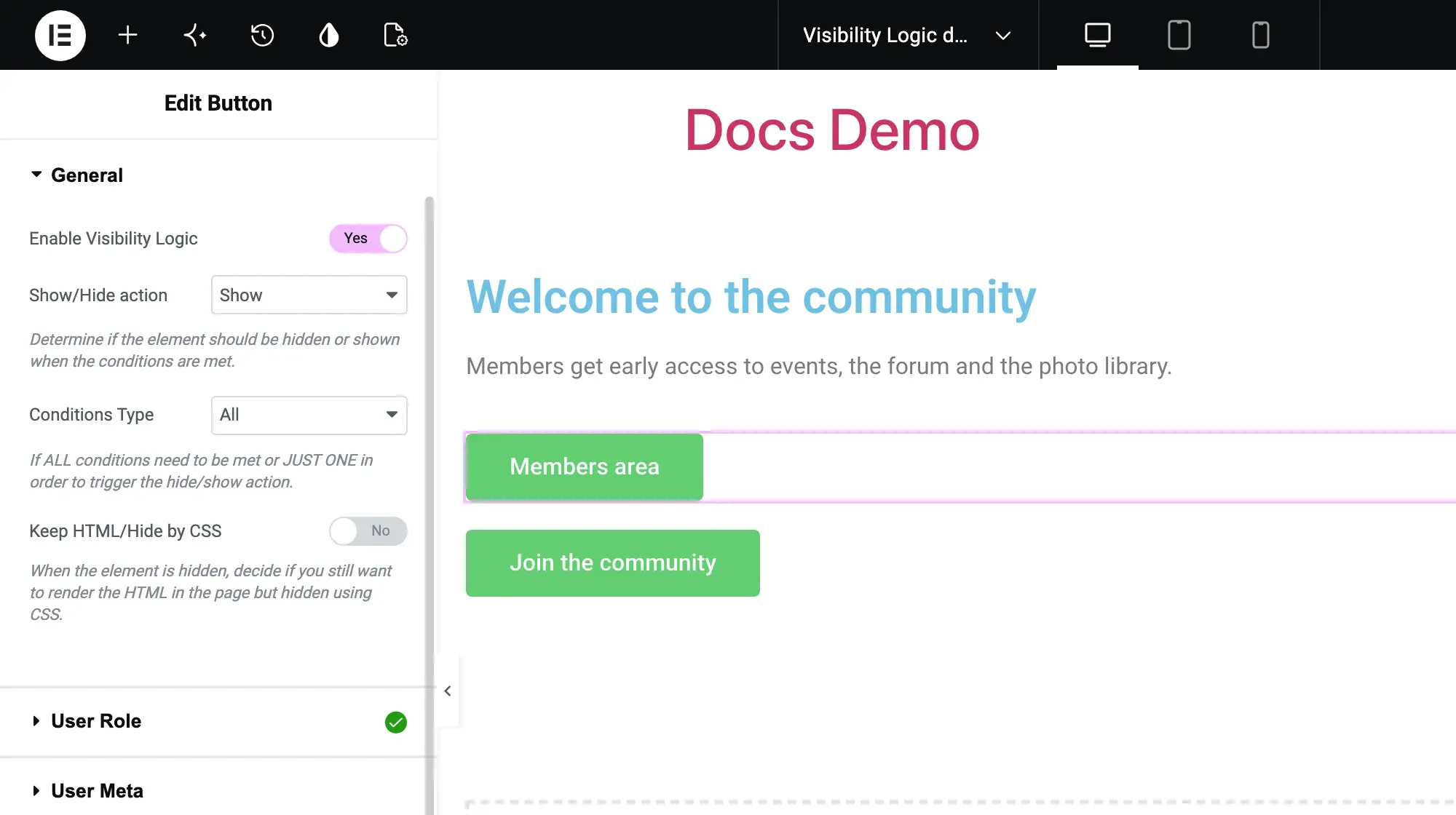
By default a hidden element is removed from the page HTML. You can keep the HTML and hide it with CSS instead, or (with Pro) show replacement content.
Free and Pro
Section titled “Free and Pro”Visibility Logic comes in two plugins:
- Visibility Logic for Elementor (free, on WordPress.org): the User Role, User Meta, Date Time, Browser Type, Device Type and ACF Field conditions, plus Hide when empty for sections and containers.
- Visibility Logic Pro (paid add-on, needs the free plugin): adds IP & Referrer, Geo Location, Advanced User Meta, Post/Page, Archives, Conditional Tags, Dynamic Conditions, WooCommerce Users, EDD Users, URL Parameters, Language and Advanced ACF, plus Fallback content and copy/paste of visibility settings.
See the product page for plans.
Get started
Section titled “Get started”- Install Visibility Logic: requirements, the free plugin, the Pro zip, license activation and multisite.
- Set up a rule on an element: enable the rule, choose show or hide, combine conditions, keep HTML or show fallback content.
Conditions
Section titled “Conditions”- Free conditions: User Role, User Meta, Date Time, Browser Type, Device Type, ACF Field.
- Pro conditions: IP and referrer, geolocation, posts and archives, conditional tags, dynamic tags, WooCommerce, Easy Digital Downloads, URL parameters, language and advanced ACF.
- Create a MaxMind account and license key: needed for the Pro Geo Location condition.
- Troubleshooting: an element still shows, caching, missing Pro conditions, geolocation errors and known issues.
- License and account: license keys, downloads and renewals.
- Release notes: Visibility Logic changelog and Visibility Logic Pro changelog.
- Support: Pro customers use priority support; free users can ask on the WordPress.org forum of the plugin.