
Setting up a Stax Child Theme
A child theme is a theme that inherits all the functionality and styling of the parent theme. It helps you make code customizations whereas leaving your parent theme intact.
In addition, child themes help in providing a safe ground in ensuring that you don’t lose your customizations during a theme update, if any had actually been carried out. This helps in saving time in the long-run, by ensuring that you don’t also have to carry out the customizations over again, after a theme update.
There are two ways that you can create a Stax child theme. These include:
- Ready to download Stax child theme
- Create one by custom code
- Generate the child theme using a plugin
Ready-to-use Stax Child theme
Section titled “Ready-to-use Stax Child theme”- Download the child theme from the link: (Stax Child theme)
- Navigate to the Appearance > Themes > Add New section within your WordPress dashboard
- Upload the downloaded child theme
- Activate the child theme
Via Custom Code
Section titled “Via Custom Code”In order to create a child theme via custom code, you will need to carry out the following:
- Login to your server via an FTP software such as Filezilla, using your host, username, password and port details.
- Once logged in, navigate to the public_html > {your site folder} > wp-content > themes folder
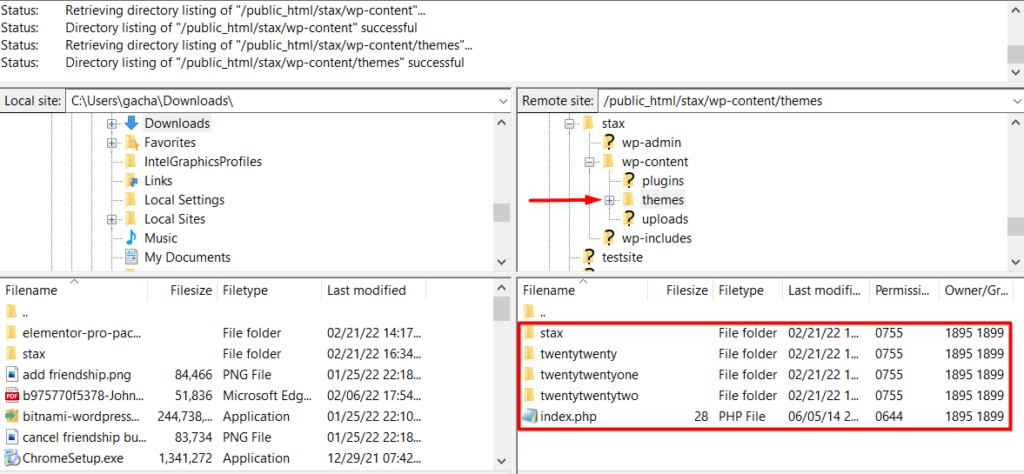
On the directory listing below, you can see that we have the Stax theme already installed.
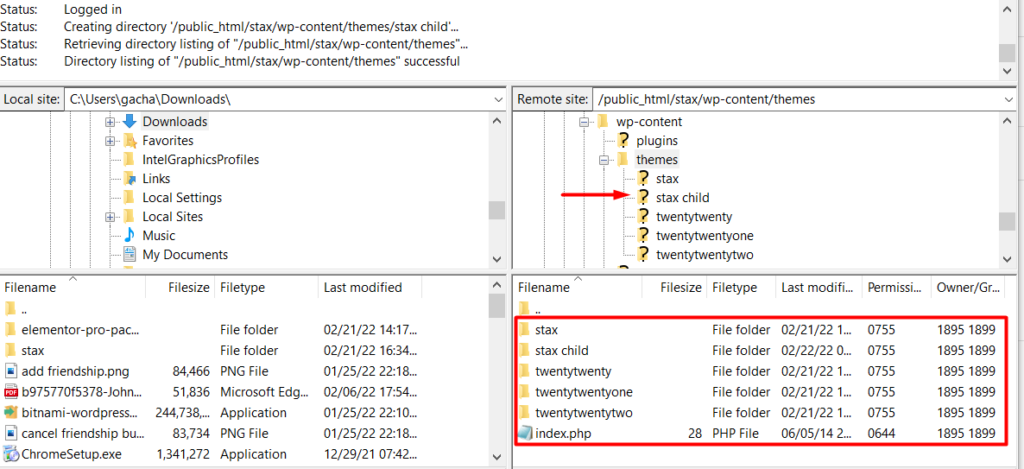
- Create a new folder within the themes directory and name it “stax child”
Once this is done, you should now have a view of the child theme directory as illustrated below:
- Next, create a stylesheet file named style.css on your local computer, using a tool such as notepad, Xcode or sublime text
- Add the following code within the file:
/* Theme Name: stax child Theme URI: https://staxwp.com/stax-theme Description: Stax is fast, lightweight and super customizable theme that uses the latest technologies. Tags: blog, e-commerce, news, grid-layout, one-column, two-columns, three-columns, left-sidebar, right-sidebar, custom-colors Author: StaxWP Author URI: https://staxwp.com Template: stax Version: 1.0.0 License: GNU General Public License v3 or later License URI: LICENSE Tags: light, dark, two-columns, right-sidebar, responsive-layout, accessibility-ready Text Domain: stax child */
- Create a file named functions.php file on your local computer and add the following code: