
Site Details
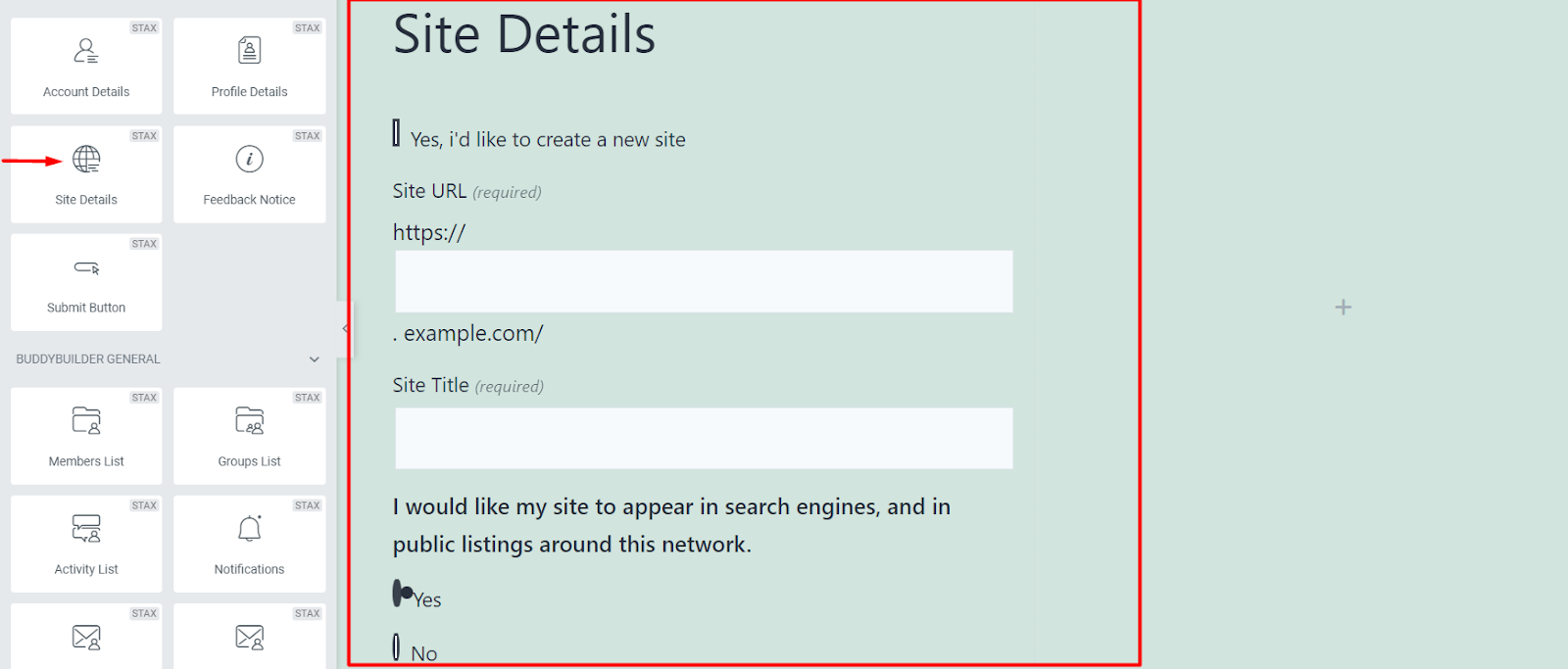
This widget only works in Multi Sites.
It is used in registering a new site to the multisite.
Styling the Site Details
Section titled “Styling the Site Details”
Text Color: Allows you to specify the color to the title of the Site Details Widget
Typography: Enables you to specify the font properties to the title. Some of the properties include, font family, font size, font weight, style, decoration, line height, letter spacing and Transform property.
Margin: Allows you specify a top, bottom, left and right spacing around the widget title
Padding: Enables you to add a top, bottom, left and right padding around the widget title
Input Labels
Section titled “Input Labels”
The Input labels are the texts used before the field input sections as highlighted in the screenshot above.
Text Color: Allows you to specify the color to the input labels of the Site Details Widget
Typography: Enables you to specify the font properties to the labels. Some of the properties include, font family, font size, font weight, style, decoration, line height, letter spacing and Transform property.
Margin: Allows you specify a top, bottom, left and right spacing around the labels.
Padding: Allows you to add a top, bottom, left and right padding around the labels.
Search Engine
Section titled “Search Engine”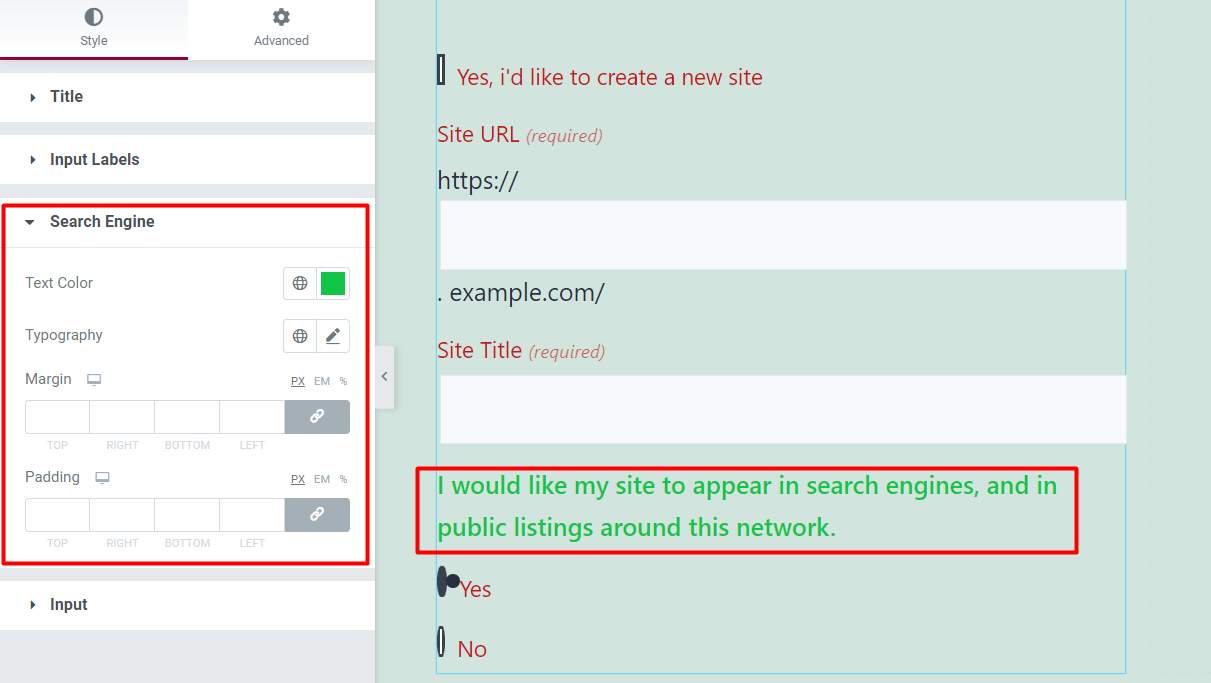
This refers to the String “I would like my site to appear in search engines, and in public listings around this network.”, that is rendered within the form as illustrated in the screenshot above.
Text Color: Allows you to specify the color to the Search Engine text
Typography: Enables you to specify the font properties to the Search Engine text . Some of the properties include, font family, font size, font weight, style, decoration, line height, letter spacing and Transform property.
Margin: Allows you specify a top, bottom, left and right spacing around the Search Engine text.
Padding: Allows you to add a top, bottom, left and right padding around the Search Engine text.
Input
Section titled “Input ”
Typography: Allows you to specify the font aspects to the field inputs on the form. These include; font family, font size, font weight, style, decoration, line height, letter spacing and Transform.
Normal State
Within this state you can specify the following aspects to the input fields within the form: Text Color, Background color, Border Type, Border radius, Margin and Padding.
Focus State
Within this state you can specify the following aspects to the input fields: Text Color, Background color, Border Color, Border Type, Border Radius, Margin and Padding.