
Settings [Manage Section]
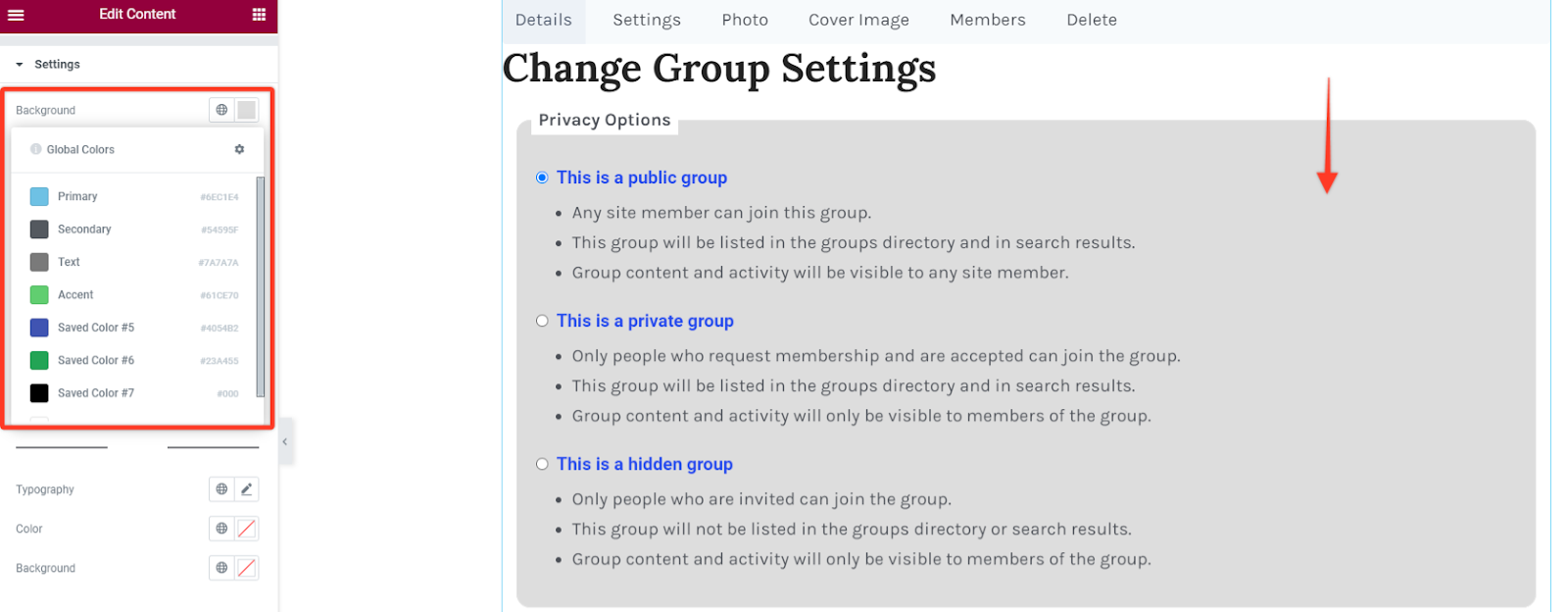
Background Color
For this option you can set the background color of the settings sections to your preferred choice.
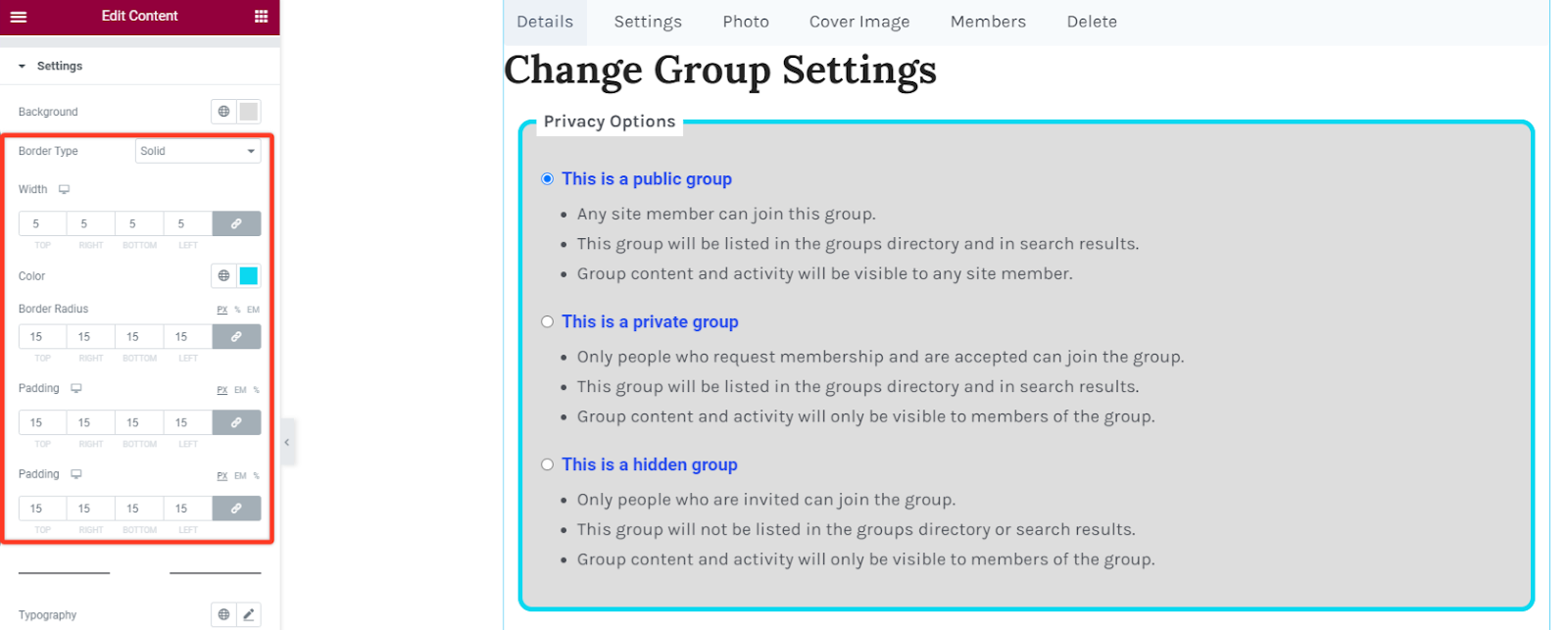
Border & Padding Styling
This option allows you to add borders within the settings sections. You can add different border types like solid, dotted, dashed, double among others. Then define the width size of your border in the settings container and choose a preferred color for the border. To add rounded corners you can adjust the border radius as per your liking. You may optionally add some padding to increase spacing.
Legend
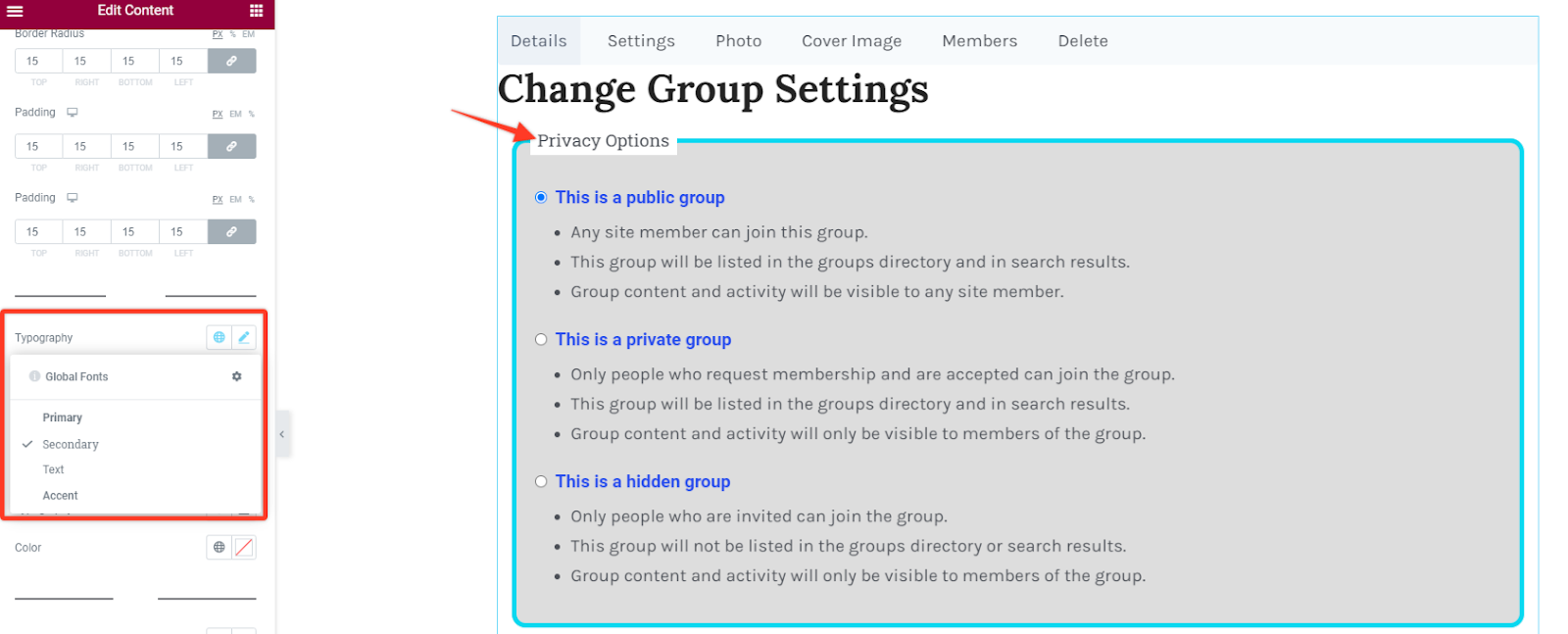
Section titled “Legend”Typography
This option allows you to alter the font settings of the subtitles text. Change the font family, size, weight, style, line height among others. Alternatively you may also select a global font.
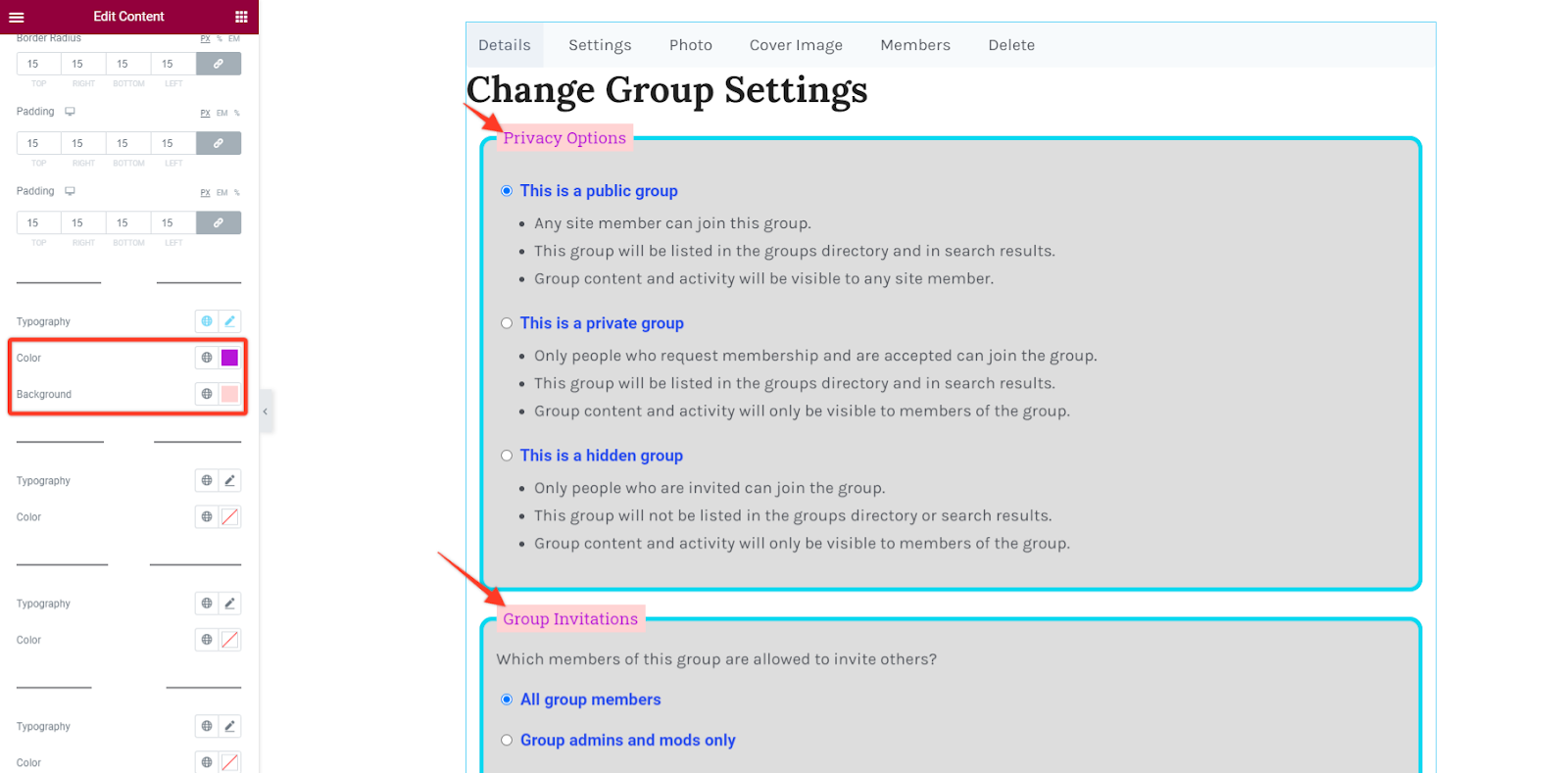
Text Color and BG Color
This option enables you to choose your preferred text color and background color for the subtitles text.
Labels, Lists, Description
Section titled “Labels, Lists, Description”Text Typography & Color
The typography option allows you to alter the font settings of the content text. Change the font family, size, weight, style, line height among others. Alternatively you may also select a global font.
You can also select the color of the text according to your choice.
