
Friends section
Friends list
Section titled “Friends list”Vertical Spacing
This increases the spacing between the list of friends in the y axis or rather vertically.
Friends Grid
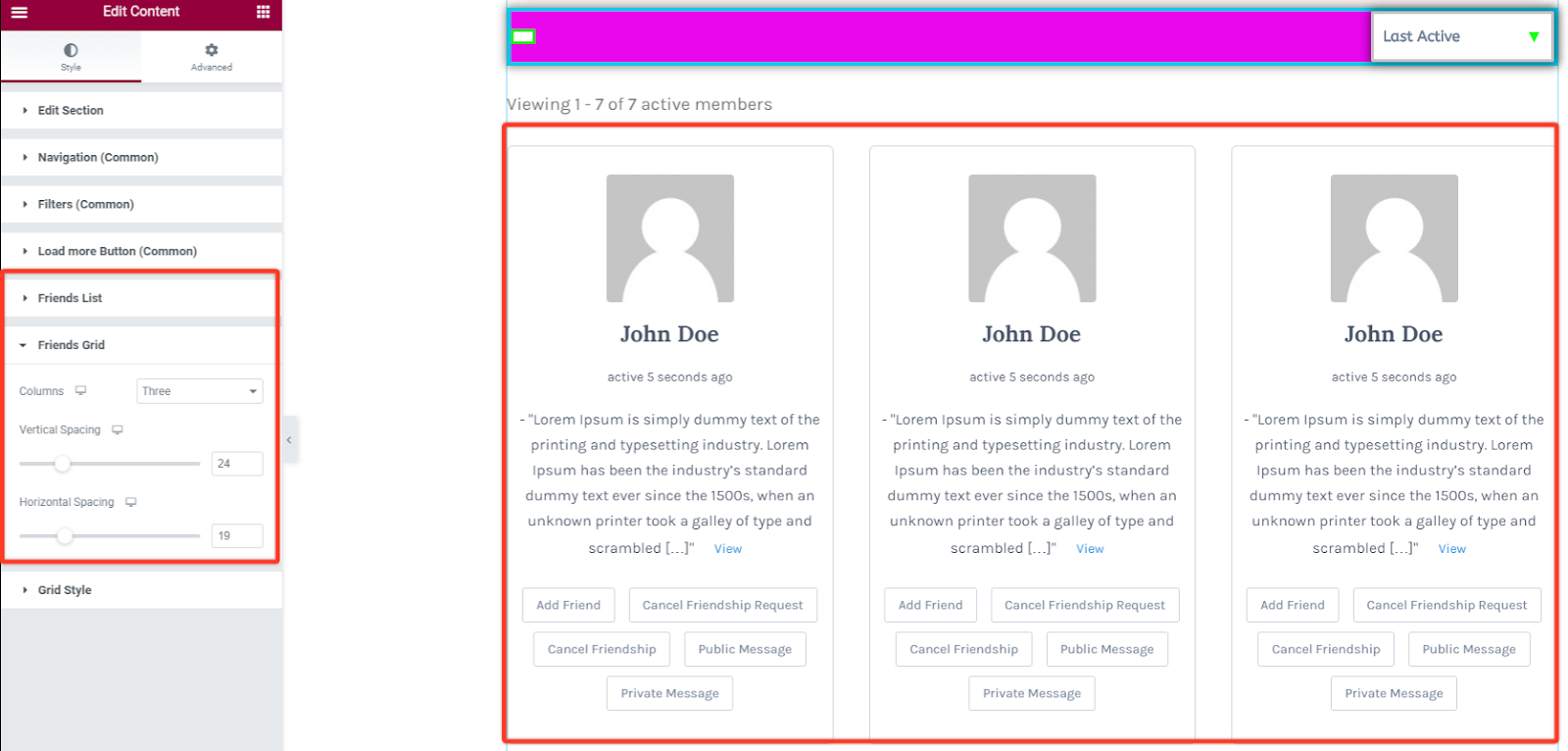
Section titled “Friends Grid”Columns
This option allows you to define the number of columns that you prefer in the grid list of friends section.
Vertical Spacing
This increases the spacing between the grid listing of friends in the y direction or vertically.
Horizontal Spacing
This increases the spacing between the grid list of friends in the x direction or horizontally.
Grid Style
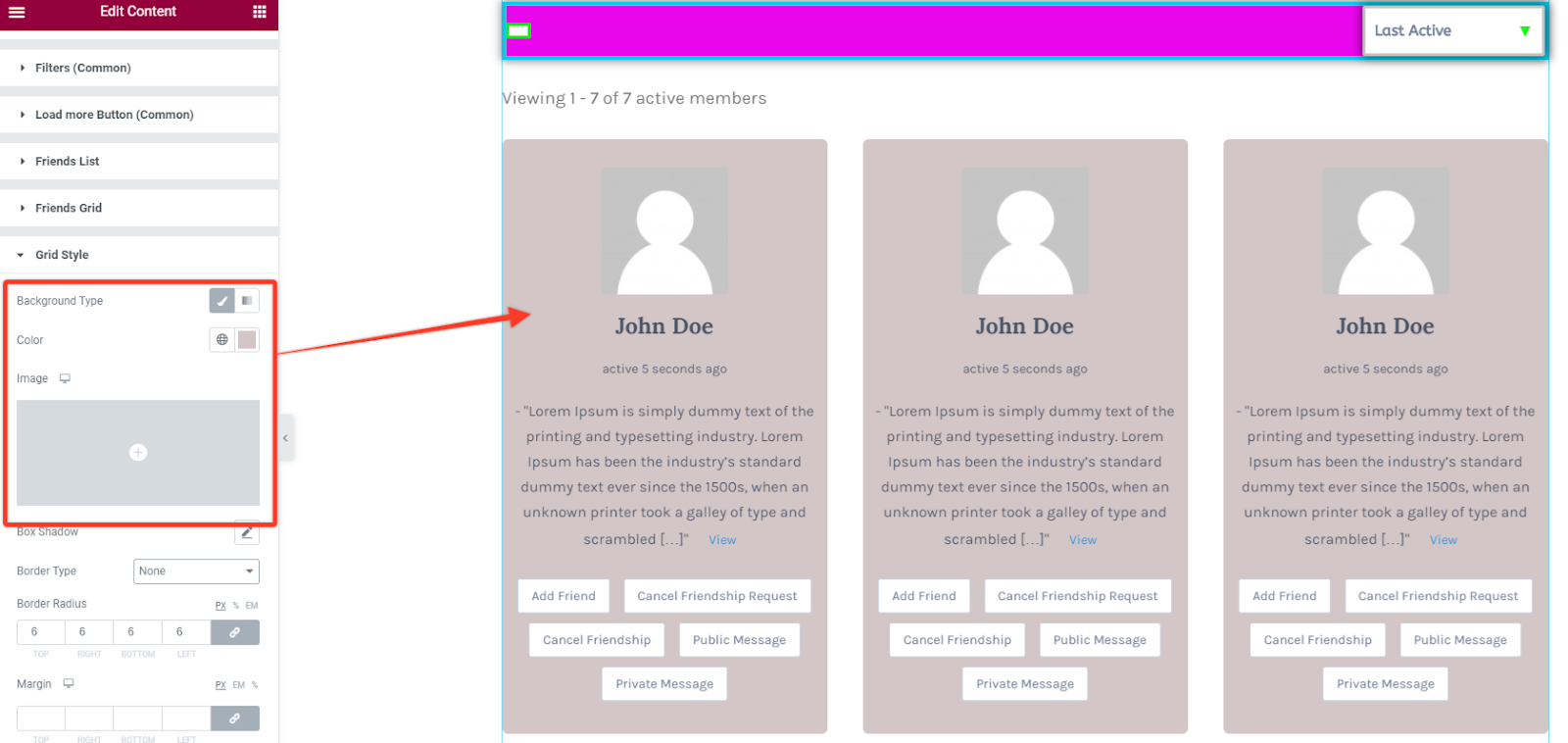
Section titled “Grid Style”Background Type
Under this section you can opt to choose what kind of background you want to set on your friends grid section. You can choose between the classic and gradient types. Classic lets you choose the color or upload an image while gradient varies between several colors.
Box Shadow
Similar to other shadow styling options you can add some shadow effect to the grid sections. Within its settings you can adjust the blur size and spread it horizontally or vertically then position it between the outline and inset modes.

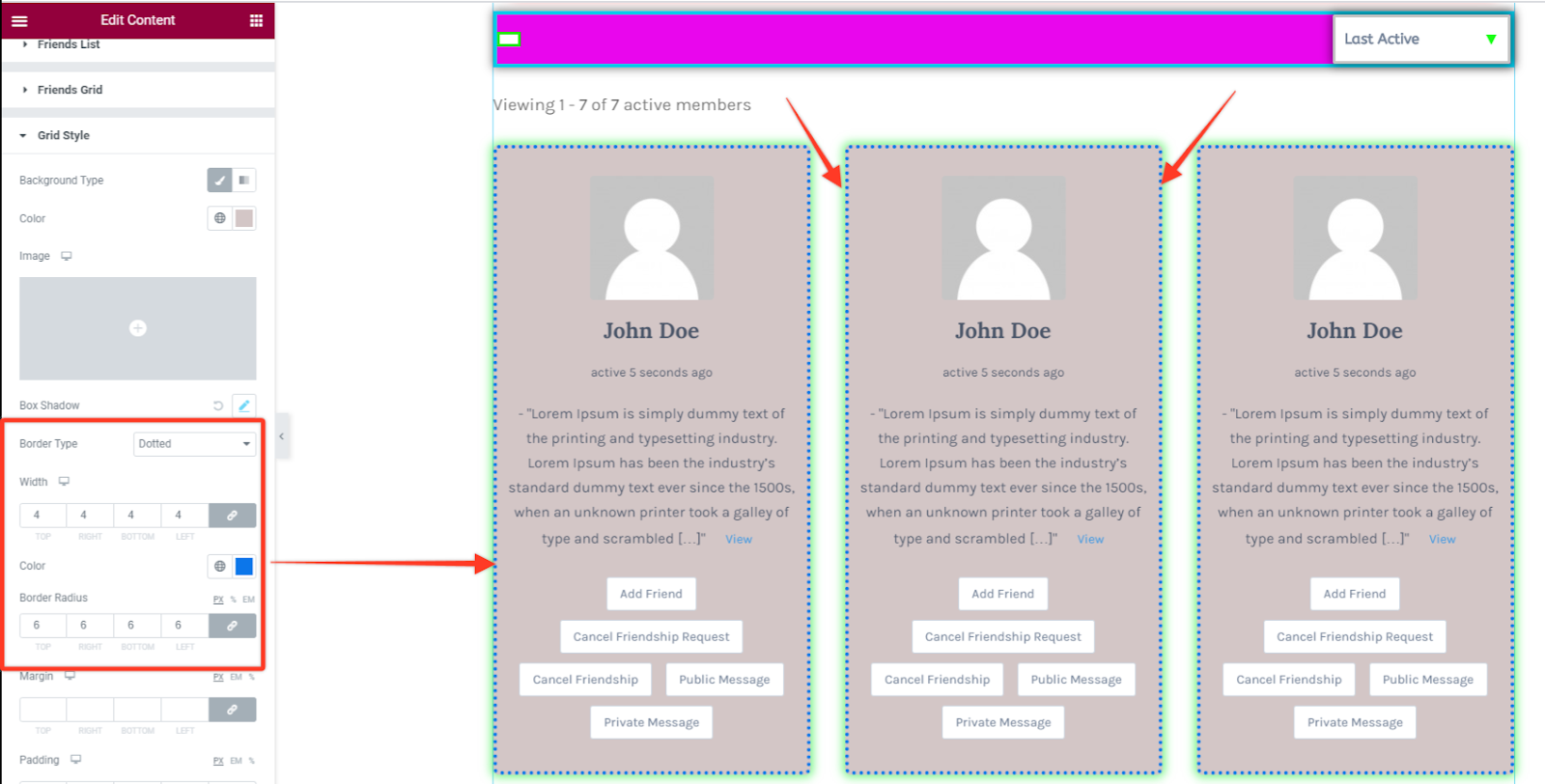
Border Styling
With this option you can add some border styling like setting different border types like solid, dotted, dashed, double among others. Then define the width size of your border in the grid item section. Choose a preferred color for the border and add a radius size in case you want the borders to have rounded corners.
Padding and Margin
These options will allow you to add spacing between the grid items and the grid box or between the grid box and the whole page container respectively.
