
Actions (Pro)
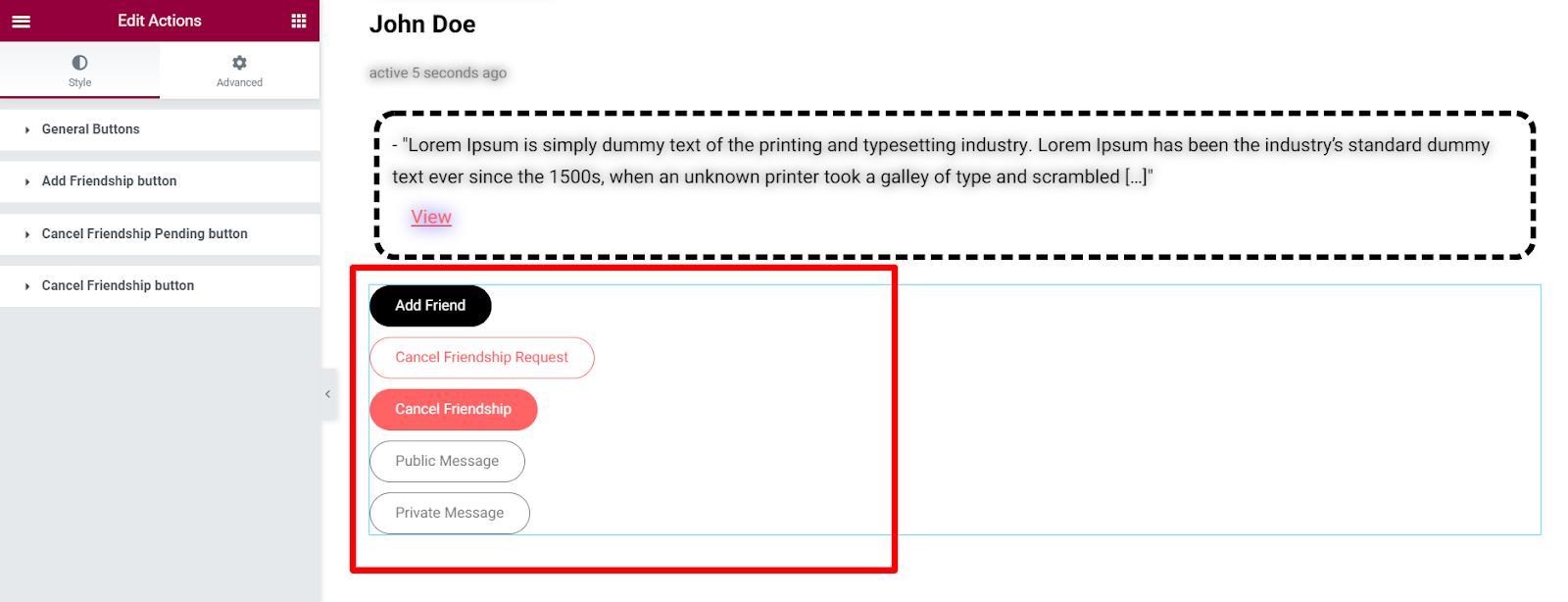
Renders buttons representing the various actions a member can carry out.
Styling The Actions
Section titled “Styling The Actions”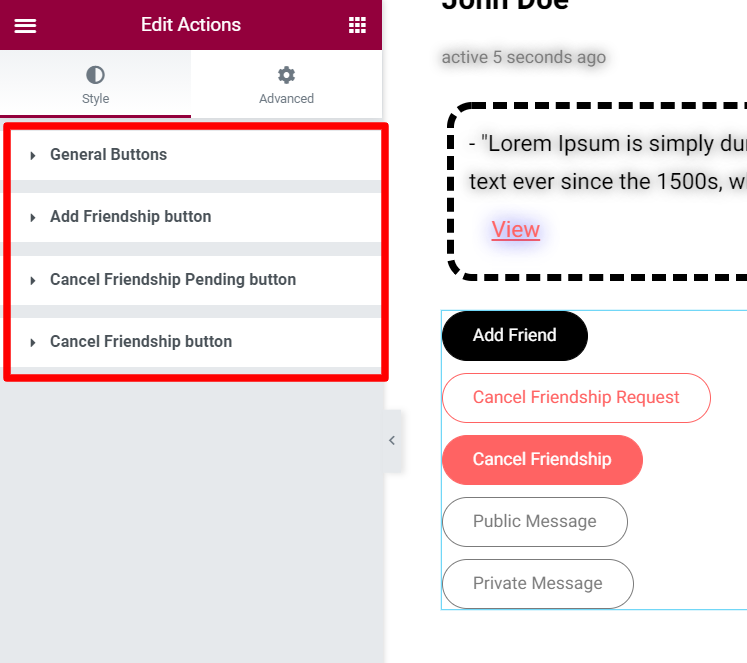
General Buttons
Section titled “General Buttons”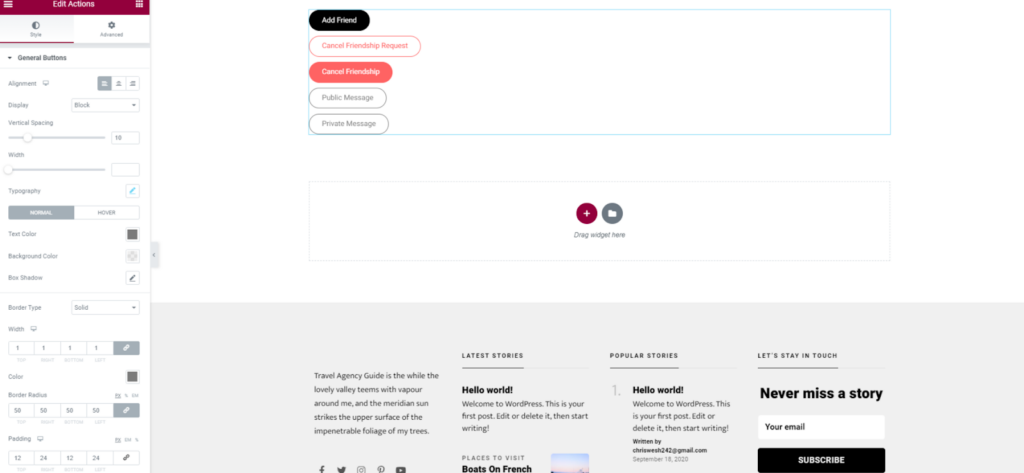
The styles applied here cover all the buttons, if no styles are specified on the individual buttons.
Alignment: Positions the buttons either to the left, right or center.
Display: Specifies the display of the buttons. Either Inline or as a block.
Vertical Spacing: Defines the spacing between the buttons vertically.
Width: Specifies the width of the buttons when set to a block display.
Horizontal Spacing: Sets the spacing between the buttons when the display is set to “inline”.
Typography: Specifies the font aspects of the button texts.
Text Color: Sets the Color of text within the buttons under different states (Normal and Hover).
Background Color: Sets the background color of text within the buttons under different states (Normal and Hover).
Box Shadow: Specifies the shadow attached to the buttons under different states (normal and hover).
Border Type: Sets the line style for all four sides of the buttons’ border under different states (normal and hover).
Border Width: Specifies the width of the line style under different states (normal and hover).
Color: Sets the color to the border under different states (normal and hover).
Border Radius: Defines the radius of the buttons’ corners under different states (normal and hover).
Padding: Sets the spacing between the button text and its border under different states (normal and hover).
Add FriendShip Button
Section titled “Add FriendShip Button”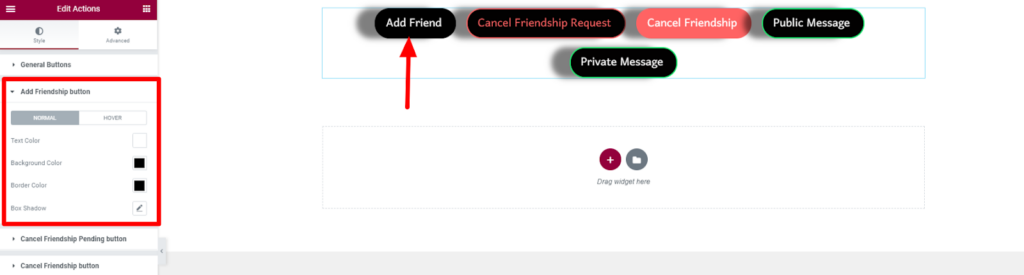
Text Color: Specifies the color of the add friend button under different states (normal and hover).Background Color: Sets the background color of the add friend button under different states (normal and hover).
Border Color: Defines the color of the border line within the add friend button under different states (normal and hover).
Box Shadow: Specifies the shadow attached to the add friend button under different states (normal and hover).
Cancel FriendShip Pending Button
Section titled “Cancel FriendShip Pending Button”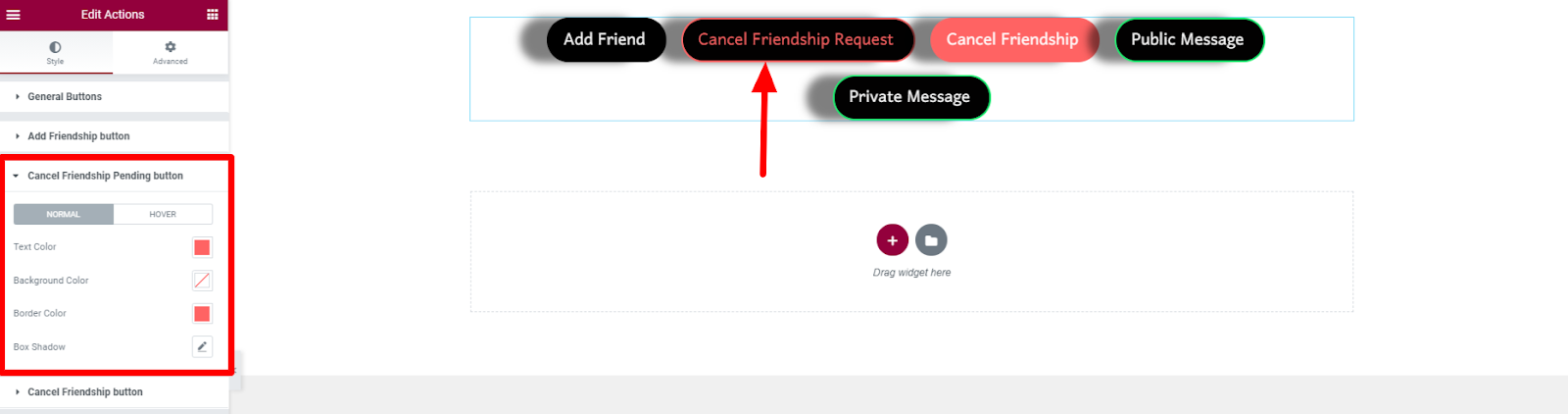
Text Color: Specifies the color of the cancel friendship pending button color under different states (normal and hover)..Background Color: Sets the background color of the cancel friendship pending button under different states (normal and hover)..
Border Color: Specifies the border color of the cancel friendship pending button under different states (normal and hover).
Box Shadow: Specifies the shadow attached to the cancel friendship pending button under different states (normal and hover).
Cancel Friendship Button
Section titled “Cancel Friendship Button”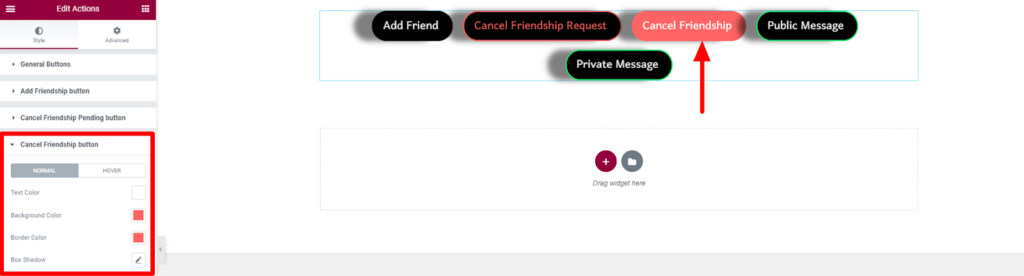
Text Color: Specifies the color of the text within the cancel friendship button under different states (normal and hover).Background Color: Sets the background color of the cancel friendship button under different states (normal and hover)..
Border Color: Specifies the border color of the cancel friendship button under different states (normal and hover).
Box Shadow: Specifies the shadow attached to the cancel friendship button under different states (normal and hover).